

Enhance any photo with AI — sharpen details, fix lighting, reduce noise, and boost colors. Transform low-quality images into stunning, professional results in seconds.
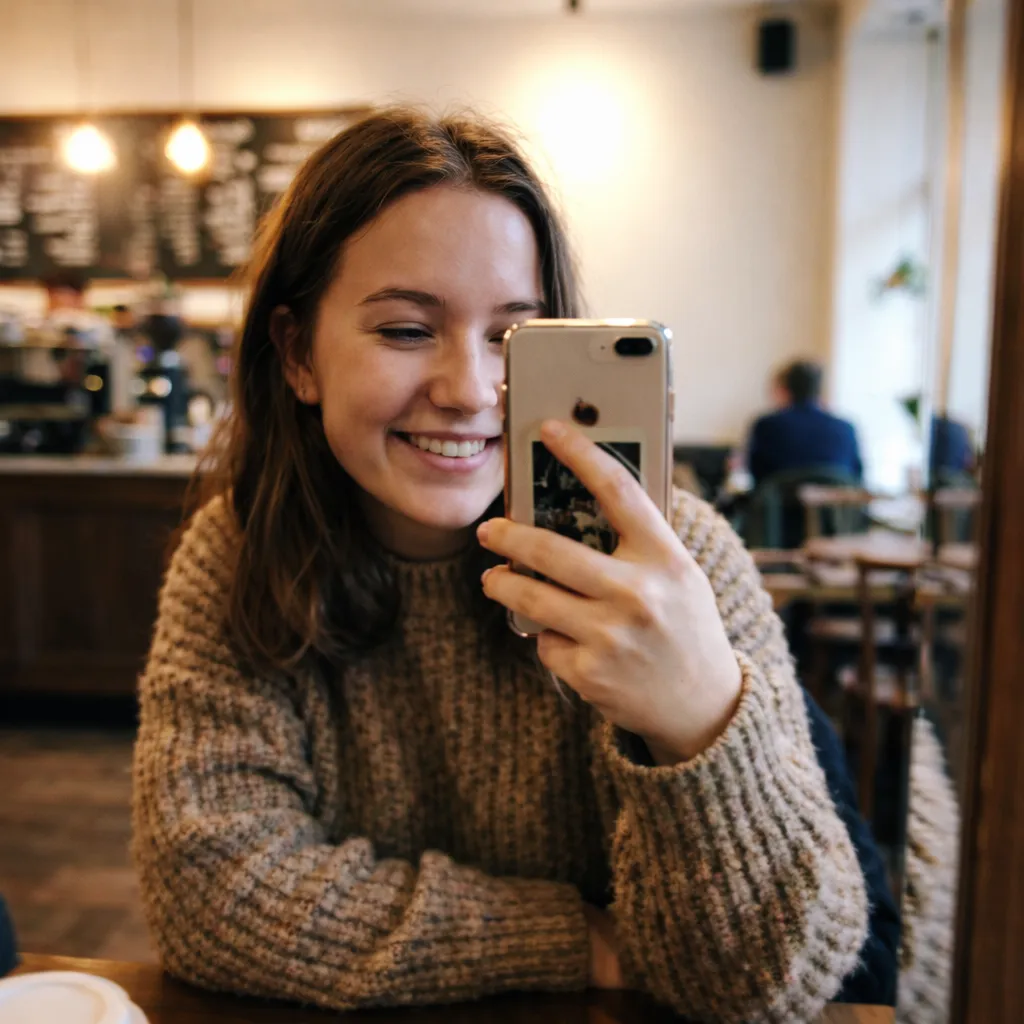

Enhanced a dark, grainy photo from my daughter's birthday. Colors are vivid and every face is clear. Can't believe the difference!

My phone photos always look dull. Ran them through this and now they look professional. Colors pop and details are crisp. Amazing.

Had a poorly lit photo from a concert. AI fixed the lighting and made it look stunning — like a pro photographer took it. Love it!

Enhanced a low-quality photo and it looks incredible — sharper, brighter, better colors. Way better than any other tool I've tried.

Rescued a bunch of dull vacation photos. They're sharp and vibrant now — saved my whole trip album!

Used this on old photos and they look brand new. The AI enhancement is next level. 10/10.
Enhanced a dark, grainy photo from my daughter's birthday. Colors are vivid and every face is clear. Can't believe the difference!
My phone photos always look dull. Ran them through this and now they look professional. Colors pop and details are crisp. Amazing.
Had a poorly lit photo from a concert. AI fixed the lighting and made it look stunning — like a pro photographer took it. Love it!
Enhanced a low-quality photo and it looks incredible — sharper, brighter, better colors. Way better than any other tool I've tried.
Rescued a bunch of dull vacation photos. They're sharp and vibrant now — saved my whole trip album!
Used this on old photos and they look brand new. The AI enhancement is next level. 10/10.
With the power of advanced AI image reconstruction algorithms, you can now enhance image quality of any blurry, dark, or low-resolution photo in a single click — save images that you thought were ruined forever with Overchat AI.
From blurry to sharp, from too dark to perfectly exposed, and from smudged by motion blur to crisp and professional, get the best image enhancement results online.
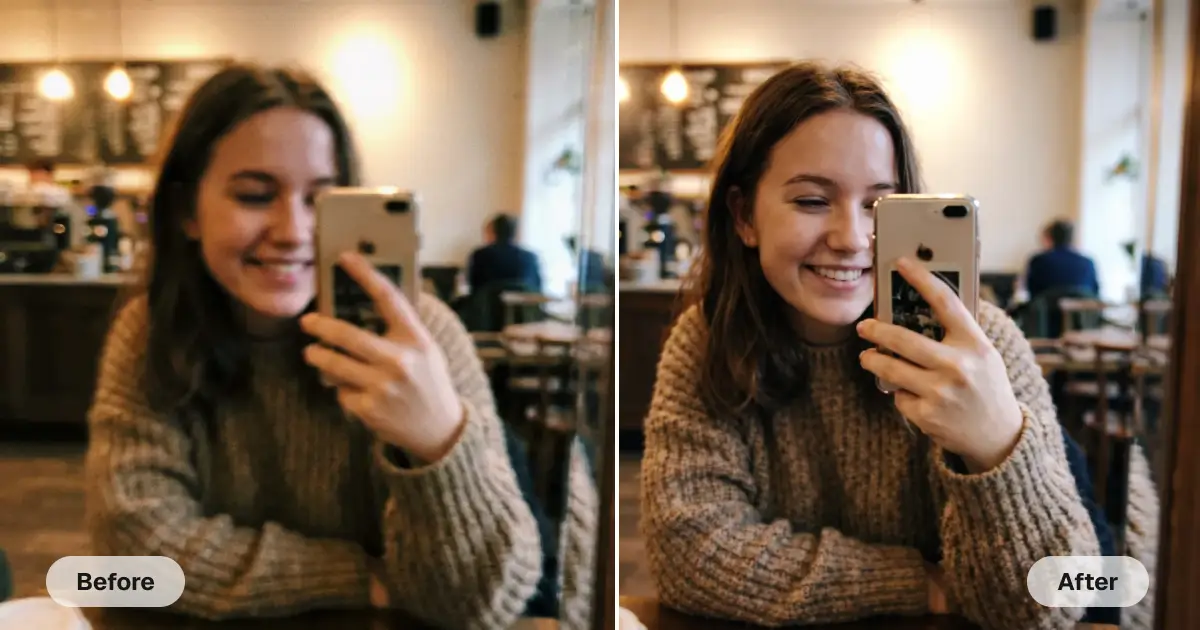
Our artificial intelligence tool analyzes your image and intelligently detects which imperfections need enhancement. It leaves everything else untouched — on autopilot.
Don't sacrifice resolution. Download your enhanced image in beautiful HD quality, free of watermarks. You can even upscale your low-resolution images online.
What would take hours of manual work in Photoshop takes just 30 seconds with Overchat AI. Upload your image, click Enhance, and let the AI work its magic. Then, download the upgraded image.
USE CASES
Did a shaky hand ruin your shot? Upload your blurry selfie and let the AI sharpen every detail, including faces, hair, and the background, to make it look like it was taken with a professional camera.
Upload your scan of a faded or scratched old photograph and restore it to its full original glory. Make it look like it was taken and developed in a darkroom yesterday.
Did you take a photo in the dark and end up with high ISO noise? No worries! Our photo enhancer can clean up your photo better than any standard denoising algorithm.
As part of the automatic workflow, the tool also upscales low resolution to high resolution, so you can turn any image into HD with one click.
Correcting a lack of focus manually is notoriously difficult, but this tool can help you save images that are slightly out of focus or completely out of focus.
Do you have a photo of a sport, your baby, a pet, or a bird that was ruined by slow shutter speed and motion blur? Restore it to full crispness easily with AI.
Join thousands of people who are already using Overchat AI.
Overchat AI brings you the power of the world's top AI models: GPT, Claude, Gemini, Mistral, and more.

An image enhancer is an online application powered by artificial intelligence designed to improve the quality of photos. Using machine learning and AI technology, it automatically detects and fixes a broad range of imperfections, such as low resolution, camera shake, motion blur, high ISO noise, and focus issues, in a single click. This makes any image, regardless of the camera used to take it, appear professionally edited in seconds.
The Overchat AI image enhancer uses advanced image-to-image AI models, and this is where the magic happens. These models are trained on millions of professional images and can reconstruct an image that is virtually indistinguishable from the original. In the process, they use their contextual understanding and reasoning abilities to fix any imperfections. Because of this, our AI image enhancer can improve any image, delivering results that would have been impossible to achieve with traditional methods.
Overchat AI Image Enhancer works with virtually any photo. It can improve blurry selfies, dark night shots, old photographs, low-resolution pics, grainy pics, scans, and action shots ruined by motion blur or camera shake. Best of all, the AI automatically fixes any quality issues it finds, so you don't have to do any manual work beyond uploading the image and clicking a button.
Visually — no. Your enhanced image will be a perfect copy of the original, minus the defects. The AI Image Enhancer is a program that creates a new image. It doesn't modify the image you uploaded. Instead, it uses an AI model to generate a new image. This is exactly why it can fix any imperfections found in the original, no matter how severe they are. You can download the enhanced version and keep the original for reference.

Chinese company Baidu has quietly released a model that's just as good as DeepSeek and ChatGPT — ERNIE 4.5 delivers exceptional performance at a fraction of the cost — and most people outside China have never even heard of it.

If you're wondering: what is DeepSeek AI, the answer is quite simple. DeepSeek AI is a Chinese AI research lab that builds large language models. The company released several models in late 2024 and early 2025 that compete directly with OpenAI's GPT-4 and Anthropic's Claude, but at a fraction of the operating cost.

ChatGPT Plus costs $20 per month plus tax, while the Pro plan costs $200 per month plus tax. Understandably, not everyone is willing to pay that much for a chatbot, especially if the premium features aren’t worth it to them. This raises an obvious question: how can I use ChatGPT for free?
Available on Web, iOS, and Android. Access your AI assistant anywhere, anytime.




.svg)
