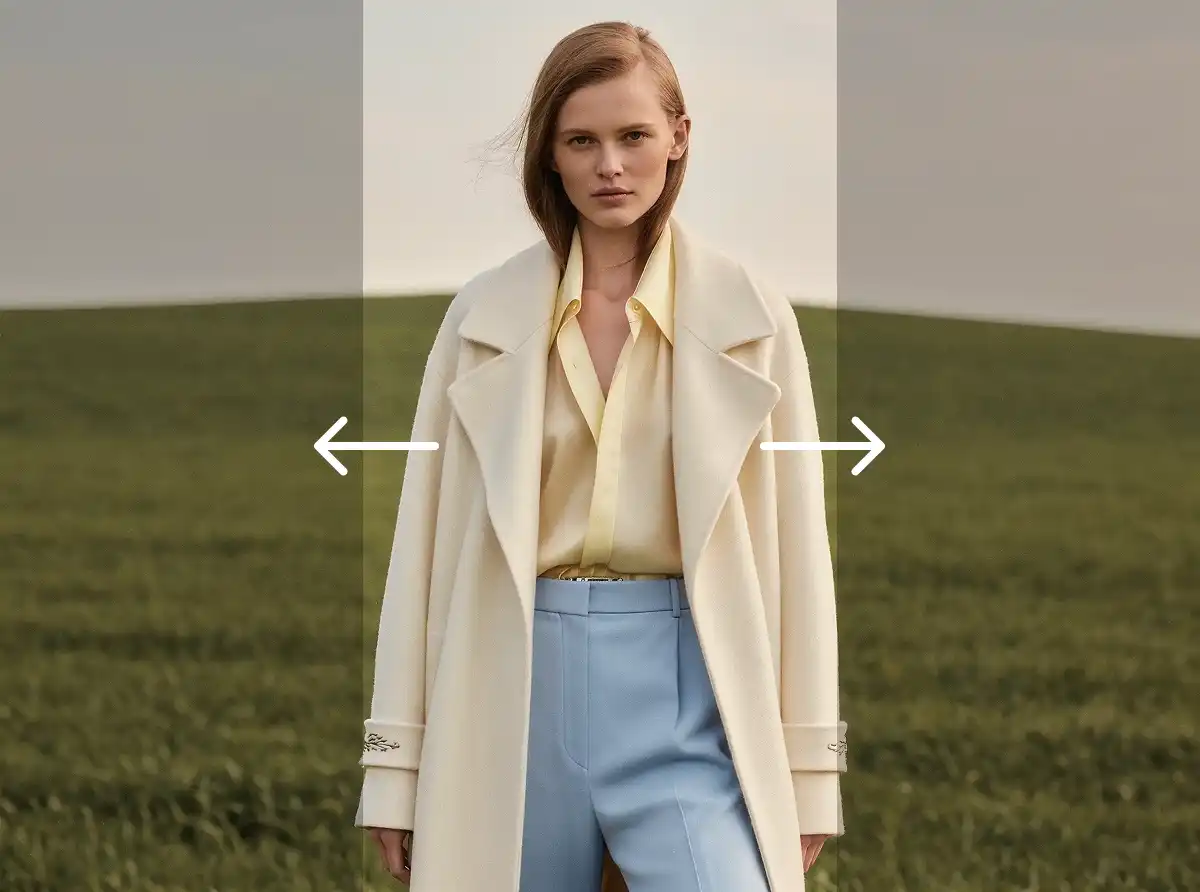
Change the aspect ratio of any photo without cropping. AI extends your image by generating new content that seamlessly matches the original scene.

Converted my portrait photo to 16:9 for a YouTube thumbnail. The AI-generated background looked perfectly natural!

Needed a square crop for Instagram but didn't want to lose anything. This extended my landscape photo perfectly.

Made my 4:3 photos fit 9:16 for TikTok stories. The extended areas are indistinguishable from the original.

Use this for all my wallpaper photos. 21:9 ultrawide fills look incredible — can't tell what's AI-generated.

As a photographer, this is a game changer. I can deliver any aspect ratio my clients need from a single shot.

Repurposed one photo for LinkedIn banner (16:9), Instagram post (1:1), and Pinterest (2:3). All look amazing.
Converted my portrait photo to 16:9 for a YouTube thumbnail. The AI-generated background looked perfectly natural!
Needed a square crop for Instagram but didn't want to lose anything. This extended my landscape photo perfectly.
Made my 4:3 photos fit 9:16 for TikTok stories. The extended areas are indistinguishable from the original.
Use this for all my wallpaper photos. 21:9 ultrawide fills look incredible — can't tell what's AI-generated.
As a photographer, this is a game changer. I can deliver any aspect ratio my clients need from a single shot.
Repurposed one photo for LinkedIn banner (16:9), Instagram post (1:1), and Pinterest (2:3). All look amazing.
Use our AI image resizer tool to change aspect of any image to over 10 popular aspect ratios including 16:9, 4:3, 1:1, 9:16, custom resolution, and more. Just upload your photo, select your desired ratio, and get a perfectly resized image in seconds — with AI-powered smart fill that preserves your subject beautifully.
Manually cropping and resizing images to fit different aspect ratios is tedious and often results in awkward cuts or lost details. With Overchat AI, you can instantly change any image's aspect ratio while the AI intelligently extends or adjusts the canvas — keeping your subject centered and the background seamless.
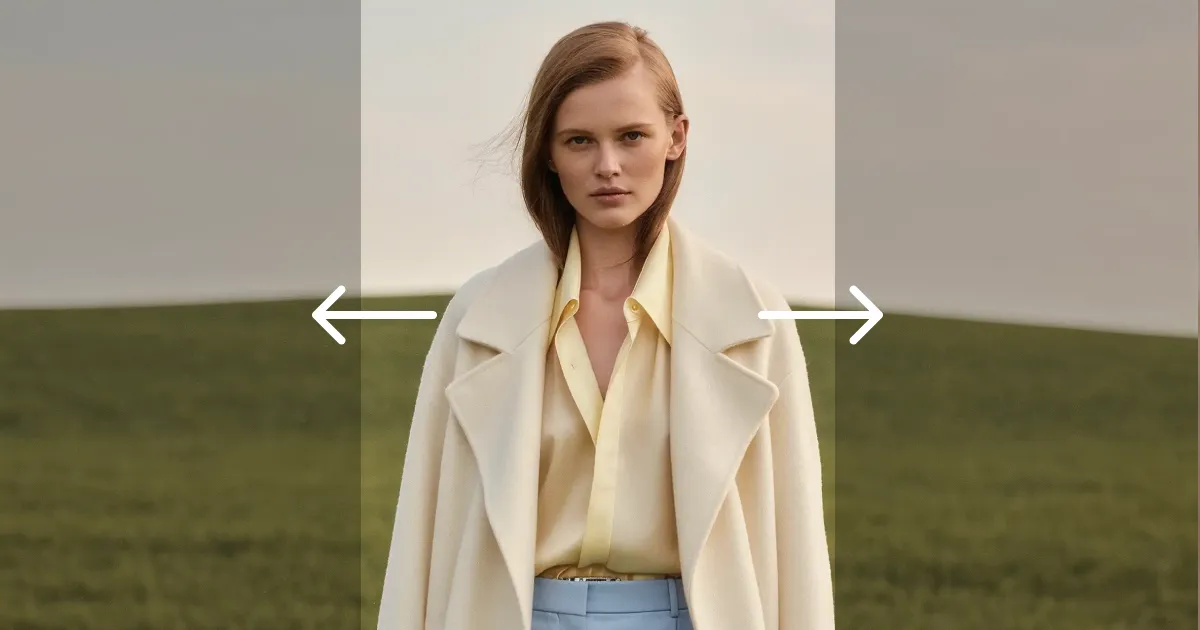
When changing aspect ratios, our AI doesn't just crop your image — it intelligently generates new content to fill the extended canvas, ensuring a natural-looking result with no visible seams or distortion.
Choose from over 10 popular aspect ratios including 16:9, 4:3, 1:1, 9:16, 3:2, 21:9, and more. Whether you need landscape, portrait, or square formats, we have you covered for any platform or use case.
Your resized image is delivered in seconds with no quality loss. The AI preserves the original resolution and sharpness of your photo while seamlessly extending it to fit your chosen aspect ratio.
Drag your image into the tool at the top of this page, or click to browse. JPG, PNG, WebP and HEIC files up to 20 MB all work, including photos straight from an iPhone camera roll.
Pick one of the ten presets — 1:1, 4:3, 3:2, 16:9, 21:9, 3:4, 2:3, 9:16, 4:5 or 5:4 — or type exact pixel dimensions. Turning a 16:9 landscape shot into a 9:16 Reel is a single tap.
Overchat AI extends your photo to the new shape instead of cropping into it, painting in background that matches the original lighting and texture. The result downloads in full resolution.
USE CASES
Quickly convert images to the perfect aspect ratio for Instagram (1:1, 4:5), YouTube thumbnails (16:9), TikTok (9:16), and other social platforms.
Convert portrait photos to widescreen 16:9 for slides, or resize images to 4:3 for classic presentation formats without losing important details.
Resize your photos to standard print ratios like 3:2, 5:4, or 7:5 so they fit perfectly into frames, canvases, and poster prints without awkward cropping.
Standardize product images to uniform aspect ratios for your online store. Ensure consistent listings across Amazon, Etsy, Shopify, and other marketplaces.
Transform any image into an ultrawide 21:9 desktop wallpaper or a tall 9:16 mobile wallpaper with AI that seamlessly extends the scene to fill the new dimensions.
Are you a graphic designer, marketer, or content creator? Quickly adapt a single image to multiple aspect ratios for different platforms and formats with Overchat AI.
Join thousands of people who are already using Overchat AI.
Overchat AI brings you the power of the world's top AI models: GPT, Claude, Gemini, Mistral, and more.
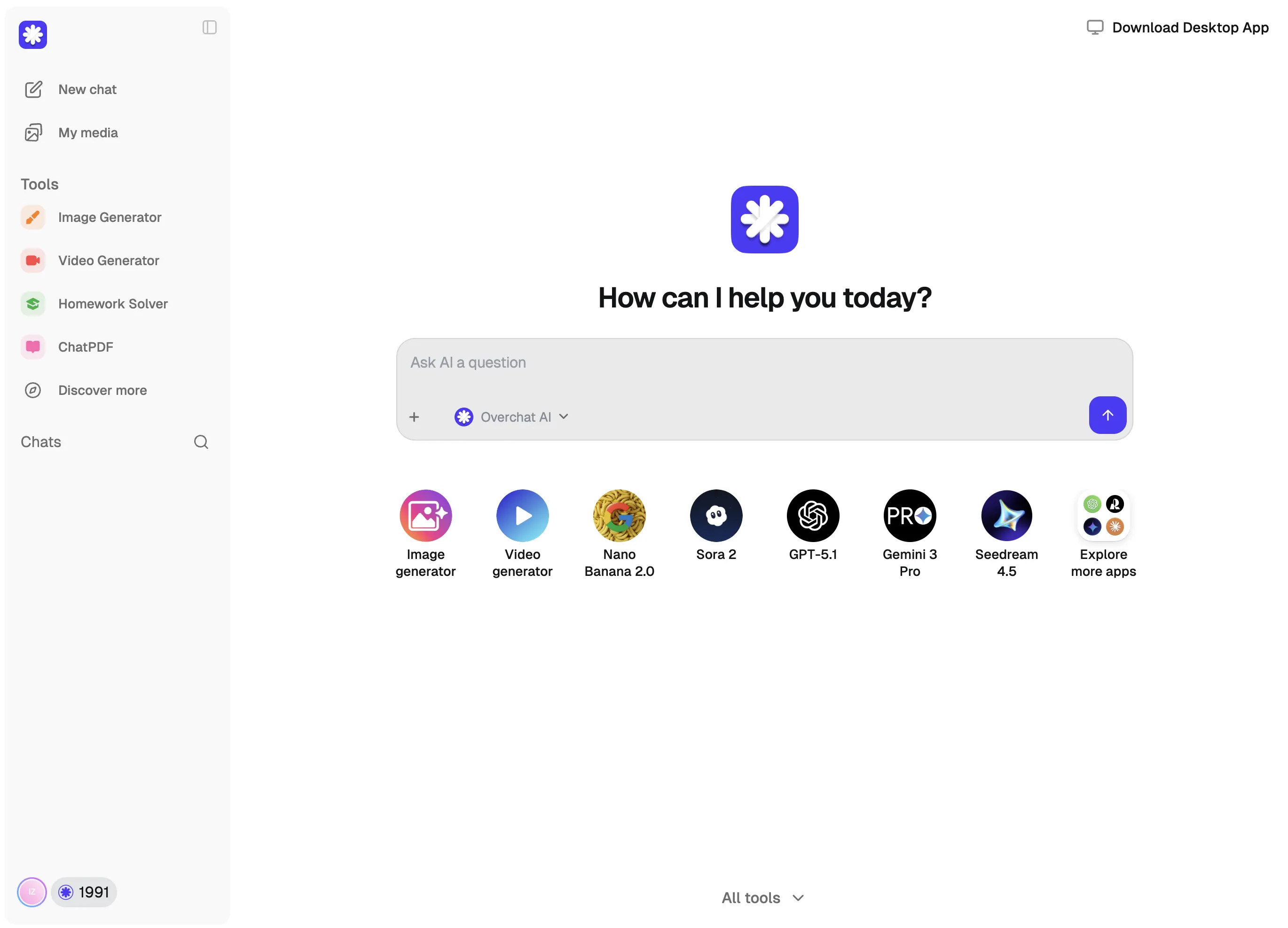
An AI aspect ratio changer is an online tool that uses artificial intelligence to resize images to different aspect ratios. Unlike simple cropping, it intelligently extends the canvas by generating new content around your subject, so nothing important gets cut off. Overchat AI offers this as a fully online service — no downloads needed.
Overchat AI supports over 10 popular aspect ratios including 1:1 (square), 16:9 (widescreen), 9:16 (vertical/mobile), 4:3 (standard), 3:2 (classic photo), 4:5 (Instagram portrait), 5:4, 7:5, 21:9 (ultrawide), and 3:4. These cover virtually every use case from social media posts and stories to desktop wallpapers, prints, and presentations.
No. Overchat AI preserves the original resolution and sharpness of your image. When the canvas needs to be extended to fit a new aspect ratio, the AI generates new content that matches the style and quality of your original photo, resulting in a seamless, high-quality output.
Upload your photo to the tool at the top of this page, choose a target ratio, and generate. Overchat AI extends the image to fit the new shape rather than cutting into it, and the result downloads in full resolution. It runs in the browser on both desktop and mobile, so there is nothing to install and no software to learn.
Upload the landscape image, pick the 9:16 preset, and generate. A 16:9 photo has no pixels above or below the frame, so an ordinary crop has to slice the sides off your subject to make it fit. Overchat AI instead generates the missing top and bottom in the style of the original, turning a widescreen shot into a full-height Reel, Short or Story without losing anything from the edges. The same works in reverse for 9:16 to 16:9, and for 1:1, 4:5 and every other supported ratio.
Neither. Stretching distorts faces and straight lines, and cropping throws away part of the frame — the two outcomes people most want to avoid when changing a ratio. Overchat AI keeps your original pixels at their true proportions and fills the newly exposed area with generated content that matches the existing background, lighting and grain.
Resizing changes how many pixels an image contains while keeping its shape: a 4000×3000 photo becomes 800×600 and is still 4:3. Changing the aspect ratio changes the shape itself, so a 4:3 photo becomes 16:9 or 9:16. That is why a ratio change always needs something extra — either cropping away part of the picture, or, as here, generating new content along the edges.
Instagram feed posts look best at 1:1 or 4:5, and Stories and Reels at 9:16. YouTube thumbnails and standard video use 16:9, while YouTube Shorts use 9:16. TikTok is 9:16 throughout. For print and classic photography, 3:2 and 4:3 remain the standards, and 21:9 suits ultrawide wallpapers and cinematic crops.
You can upload a photo and set a ratio here without an account. Generating the final image happens in the Overchat AI app, which needs a free account — the free plan includes a daily allowance on the basic models, and Pro unlocks the premium models and higher-quality output. Supported uploads are JPG, PNG, WebP and HEIC files up to 20 MB.
Chinese company Baidu has quietly released a model that's just as good as DeepSeek and ChatGPT — ERNIE 4.5 delivers exceptional performance at a fraction of the cost — and most people outside China have never even heard of it.
If you're wondering: what is DeepSeek AI, the answer is quite simple. DeepSeek AI is a Chinese AI research lab that builds large language models. The company released several models in late 2024 and early 2025 that compete directly with OpenAI's GPT-4 and Anthropic's Claude, but at a fraction of the operating cost.
ChatGPT Plus costs $20 per month plus tax, while the Pro plan costs $200 per month plus tax. Understandably, not everyone is willing to pay that much for a chatbot, especially if the premium features aren’t worth it to them. This raises an obvious question: how can I use ChatGPT for free?
Available on Web, iOS, and Android. Access your AI assistant anywhere, anytime.



.svg)
