What Is an AI Aggregator? How Multi-Model Platforms Work and the 12 Best in 2026
Last Updated:
2026-10-08
What Is an AI Aggregator? How Multi-Model Platforms Work and the 12 Best in 2026
What if you could access all of the best AI models, image generators, and video generators in a single place, for the cost of just one ChatGPT AI subscription? With AI aggregators, you can. But what are these platforms, how do they work, and are they legit? We're answering all of that in this article.
Want to read about which all-in-one AI platform is best? Check out our guide to the best all-in-one AI platforms.
An AI aggregator is an online platform that brings multiple AI models together on a single website or app. Usually, these platforms provide access to all models from major providers (GPT, Claude, Gemini, Grok), as well as image and video-generation tools. For example, Overchat AI is an AI aggregator with 22 chat models, image and video generators and 50+ ready-made tools. Its free plan covers two chat models, and full access costs $14.99/month or $49.99/year.
AI aggregators connect to different providers via APIs — and allow you to chat with the same models that power websites like Claude and ChatGPT, while often offering specialized tools like AI writing assistants or ChatPDF apps that make it more convenient to solve specific tasks with AI.
Most aggregators include video and image generation capabilities — while a platform like Claude only offers text generation, through online aggregators you can access the same Claude models, but also dedicated video generators like Grok Imagine 1.5 and image generators like GPT Image 2.5.
AI aggregators can save you money — compared to paying for multiple AI subscriptions, which usually cost from $20/month each, AI aggregators typically cost below $20/month, while giving you the same core capabilities.
AI aggregators are legit — they access first-party models through official APIs and give you access to those models via their own interface. Do note, however, that some first-party features like Claude's editable artifacts can be missing from AI aggregators, and most plans meter usage with credits.
The best AI aggregator depends on what you need — Overchat AI for chat plus image and video tools, Poe for model variety and bots, ChatHub for comparing answers side by side, OpenRouter for developers, and T3 Chat or Poe if you want the lowest price.
The best AI aggregators at a glance
Here's how the 12 AI aggregators in this guide compare on price, free plans and what they cover. Prices are for October 2026 and change often.
Aggregator
Best for
Free plan
Paid plans from
What it covers
Overchat AI
Chat plus image and video tools
20 credits a day
$14.99/mo or $49.99/yr
Chat, image, video, documents
Poe
Model variety and custom bots
Daily points
$4.99/mo
Chat, image, video, audio
Monica AI
Browser assistant
40 queries a day
$9.90/mo
Chat, writing, image, video
Abacus.AI ChatLLM
Agents and app building
No
$10/user/mo
Chat, image, video, agents
GlobalGPT
Creative model variety
Not listed
$5.80/mo billed yearly
Chat, image, video, audio
Magai
Content teams
No
$20/mo
Chat, image, video
Mammouth AI
Users in the EU
No
$12/mo
Chat, image, video
ChatHub
Comparing answers side by side
Limited
$14.99/mo billed yearly
Chat, image, video
OpenRouter
Developers and API access
25+ free models
Pay as you go
Chat, API
TypingMind
Using your own API keys
Free web version with your key
$39 one-time
Chat
T3 Chat
Budget monthly plan
Yes
$8/mo
Chat, image
Perplexity
Research with sources
Yes
$20/mo
Search, chat, image
What is an AI aggregator?
An AI aggregator is a platform that connects to multiple AI models and lets you use them all from one account. Instead of holding separate subscriptions to ChatGPT, Claude, and Gemini, you log into one app, pick the model you want, and pay a single bill. The aggregator handles the connections to each provider in the background.
The word covers two different kinds of product. Developer aggregators like OpenRouter are API gateways: a programmer sends one API call and the gateway routes it to whichever model the code names, which is useful for building apps but not something you'd open in a browser. Consumer aggregators are the apps this guide is mostly about — Overchat AI, Poe, Monica, and others — which wrap those same model connections in a chat interface you can use without writing code.
The chat-only aggregators stop at text models. A growing group, including Overchat AI, GlobalGPT, and Mammouth AI, also aggregates image, video, and voice generation, so the platform covers the models behind ChatGPT and Claude alongside the models behind Midjourney and Sora. That breadth is the main thing separating a basic aggregator from one that replaces an entire stack of subscriptions.
What are the types of AI aggregators?
There are five types of AI aggregators. They differ in who they're built for, how you pay, and whether you need an API key:
Type
How it works
Examples
Best for
Chat aggregators
One chat app with a model menu and a single subscription
Poe, Monica AI, T3 Chat
Everyday chat with several models
Cross-modal aggregators
Chat models plus image, video, and audio generators under one plan
Overchat AI, GlobalGPT, Mammouth AI
Replacing several creative subscriptions
Side-by-side comparison apps
Sends one prompt to several models at once and shows the answers next to each other
ChatHub, GlobalGPT
Checking answers and picking the best model
Bring-your-own-key interfaces
A chat app you connect your own API keys to, paying the providers directly
TypingMind
Heavy users who want API prices
API aggregators (model routers)
One API and one bill for hundreds of models, called from code
OpenRouter
Developers building AI apps
Most people searching for an AI aggregator want one of the first three types. The last two save money only if you're comfortable managing API keys or writing code.
How do AI aggregators work?
An AI aggregator works by calling each model through its provider's official API and presenting the results in one shared interface. The model you talk to is the same one the native app uses — the aggregator changes how you reach it, not what it is. Four parts make that possible.
First party AI APIs
Every major AI provider exposes their models not only through an online chat app (like ChatGPT), but also through an API (OpenAI Developer's Platform) — a way for another application or website to connect to the model. This is so that other people can create AI-powered apps using the provider's models. This is how you get apps that weren't developed by the OpenAI team, but are powered by OpenAI's models.
Unlike first-party AI model developers like OpenAI or xAI, who have teams of AI researchers and developers creating new AI models, AI aggregators don't actually build the models themselves. Instead, they hire specialists who create beautiful frontends that expose access to the models developed by OpenAI to everyone else — much like ChatGPT or Grok chat does.
In other words:
xAI has a team of researchers who work on the actual model weights for the upcoming Grok 5. Let's call it the team A.
xAI also has a team of people working on the interface for Grok Chat. That's a team B.
An AI aggregator doesn't have the team A; instead, they only have the team B and pour all the resources into creating the best possible experience for the end users, focusing on design, usability, and providing a convenient way to chat with multiple AI models in one place.
The API-first nature of the AI industry also explains why aggregators can expand quickly. When a provider launches a new model and makes it available through its API, aggregators can often integrate it within days rather than months. Platforms such as Abacus.AI publicly state that new model releases are typically added within 24–48 hours, allowing users to access the latest models without subscribing to multiple services.
The interface
Everything users interact with—including chat history, file uploads, project organization, prompt libraries, team workspaces, image generation tools, and model switching—is the interface layer — and it actually has nothing to do with the AI model itself — it is responsible for sending information from the user (your prompt) and receiving and displaying information generated by the model (the response). Things like:
How the overall website or app is designed to feel and function
How your media generation history is shown in the gallery
How search results are displayed
How the model's thinking block is shown
How to find the correct tool for your specific job
As a result, users are often choosing between interfaces as much as they are choosing between models.
Model routing
Model routing is the process of directing a request to a specific AI model — and a feature that is unique to AI aggregators.
There's this idea that specific models are better at specific things. For example, Claude is one of the best AI models for coding, while Kimi K3 is one of the best models for writing.
Since AI aggregators can access all of these models, they can send your request to the model that's best suited to the specific task. In Overchat AI, for example, this happens automatically, as the platform has intelligent AI-powered routing, where a lightweight and ultra-fast AI model analyses your requests and selects the best model for the job (this feature can be disabled if you don't want it). Of course, there's also manual routing, where you select a model from the dropdown menu.
For example, a routing system might:
Send coding tasks to a model optimized for software development.
Route document analysis to a model with a larger context window.
Use a lower-cost model for simple questions.
Switch to a faster model during periods of heavy demand.
For users, routing is one of the biggest practical advantages of an AI aggregator. Instead of managing multiple subscriptions and switching between applications, a single interface can distribute work across several AI providers.
Tokens, credits, and the economics of AI aggregators
Tokens are small units of text that models process as input and generate as output. A longer prompt, a larger document, or a more detailed response consumes more tokens and therefore costs more to generate.
Aggregators purchase API access from model providers and then package those costs into their own pricing systems. Most use credits, points, message allowances, or subscription tiers that abstract away the underlying token accounting.
The business model is straightforward: the aggregator pays the provider for API usage, adds a small margin, and bundles multiple models into a single product.
For users, the benefit is convenience. Rather than maintaining separate accounts, payment methods, and billing dashboards across multiple AI providers, one subscription can unlock access to dozens of models.
What can you do with an AI aggregator?
As a rule of thumb, AI aggregators allow you to complete a broader selection of tasks with AI as compared to first-party AI apps. In 2026, there's a plethora of specialized AI models. There are:
Models for editing videos with text
Models for restyling images
Upscaling models
Background removing models
Image recognition models
Sound generation models
Sound to text converters
The list goes on.
ChatGPT does offer image generation and text generation, but they don't really offer a way to professionally remove a background from an image, or merge two images into one, or to create music — for that, you'd have to find a different tool like ElevenLabs or Suno. And pay their subscription, too.
AI aggregators, on the other hand, attempt to include as many specialized tools as possible, in addition to basic text and image generation. The table below breaks down the major AI categories available within Overchat AI and the types of tools included in each.
Category
What it does
Example tools
Models behind it
Chat
Talk to and switch between frontier text models
Ask AI, Free AI Chat
GPT-6 Sol, Claude Opus 5.5, Gemini 3.8 Flash, Grok 4.7, DeepSeek V4 Pro
Text
Draft and rewrite long-form copy
AI Writer, AI Paraphraser, AI Humanizer, AI Translator
GPT-6, Claude, Gemini
Image
Generate and edit images from text or a photo
AI Image Generator, AI Photo Editor, AI Cartoonizer, AI Headshot Generator
AI Voice Generator, AI Voice Cloning, AI Music Generator
Dedicated audio models
Docs
Read and summarize files
ChatPDF, PDF Summarizer, AI Contract Reviewer
GPT-6, Claude
Math
Solve and explain problems step by step
Math Solver, Physics Solver, Photo Solver
Reasoning models
The point of putting all of this behind one login is the workflows it opens up that separate apps cannot. Three are common among professional users:
Compare models on the same prompt. Send one question to GPT and Claude, read both answers, and keep the better one — useful when you don't know in advance which model handles a task best.
Route each task to the strongest model. Use Claude for long-form writing, GPT for reasoning, and Gemini for multimodal work, all without leaving the platform or paying three bills.
Chain across modalities. On a cross-modal platform you can generate an image, send it straight into an image-to-video tool to animate it, then upscale the result — a chain that would otherwise mean three separate subscriptions and three rounds of downloading and re-uploading.
What are the best AI aggregators in 2026?
The aggregators below cover the range of the market, from cross-modal platforms and chat-only multi-model tools to side-by-side comparison apps and developer routers. The table at the top of this guide compares them at a glance; the sections below go deeper on each, with the facts that actually separate them.
1. Overchat AI — best for chat plus image and video tools
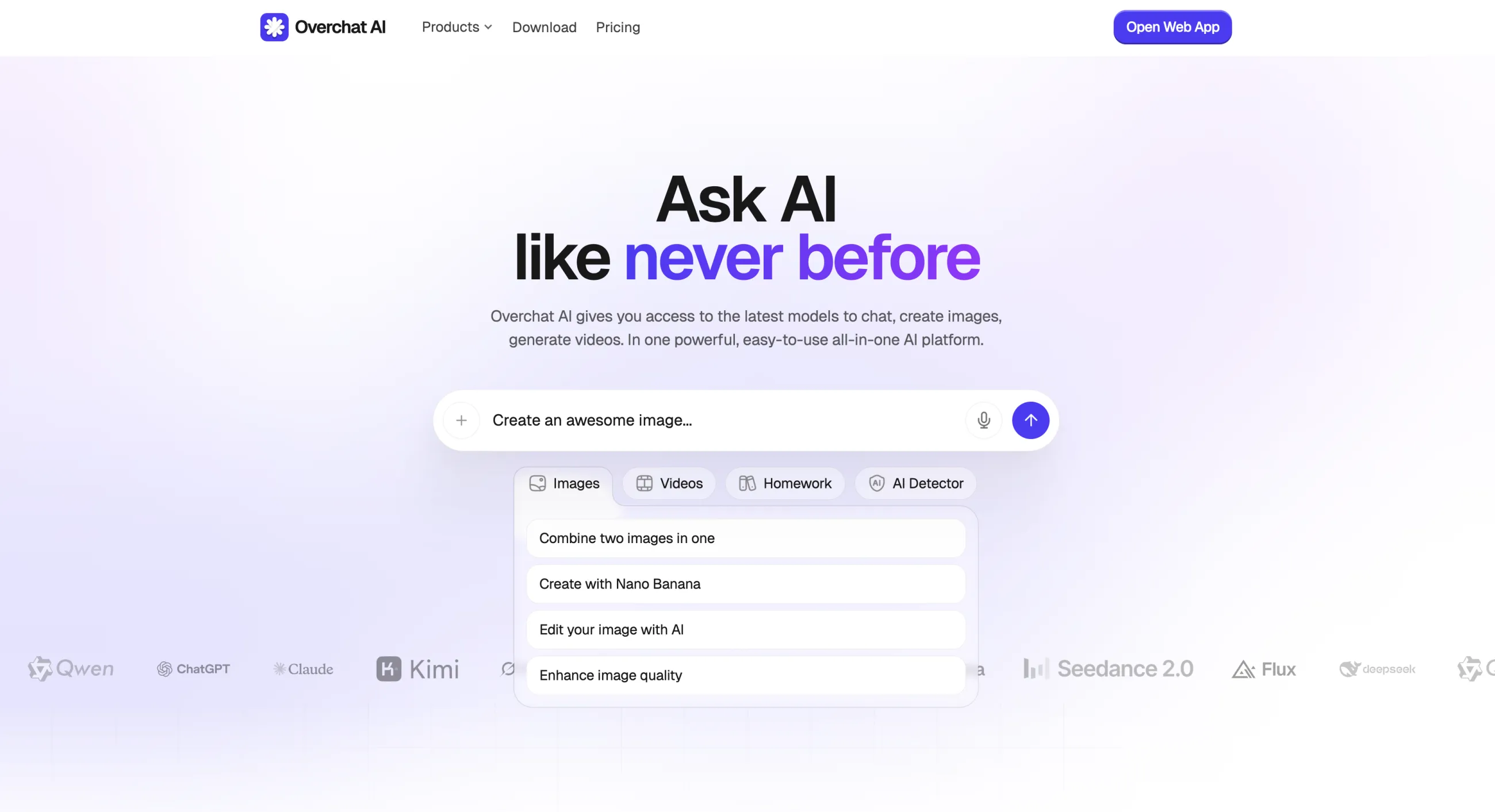
Overchat AI is an all-in-one AI platform that aggregates frontier text models alongside image and video generators and more than 50 ready-made tools for photos, writing, and documents. It has over 350,000 users.
Overchat AI aggregates frontier text models alongside 50+ ready-made tools.
While many aggregators focus on chat, Overchat AI spans text, image, video, and audio generation, drawing on the same frontier models as the standalone apps in each category:
Modality
Models available
Text and chat
GPT-6 Astra, GPT-6 Sol, Claude Opus 5.5, Claude Fable 5.1, Gemini 3.8 Flash, Grok 4.7, DeepSeek V4 Pro, Kimi K3
Overchat AI is available on three platforms: a web app, an iOS app, and an Android app. Next to the model menu, it offers a catalog of single-purpose tools, such as a background remover, an image combiner, a headshot generator, an image-to-video tool, and a PDF chat, and the team behind Overchat AI created specialized interfaces for each tool, making it easy and straightforward to use.
Price: Free plan with 20 credits a day for GPT-6 Luna and Gemini 3.8 Flash; Pro costs $14.99/month or $49.99/year
Pros:
✅ Covers chat, image, video, audio, and documents in one plan
✅ Runs current frontier models across every modality
✅ Output flows tool-to-tool through the My Media library
✅ Flat price with no per-model points to track
Cons:
❌ So many tools that the catalog takes time to learn
❌ The free plan covers only two basic chat models
2. Poe — best for model variety and custom bots
Poe is a multi-model AI chat platform built by Quora and launched in 2023. It works as a marketplace of bots, each running a different model, and it was one of the first consumer products to put GPT, Claude, and Gemini behind a single login.
Poe runs each model as a points-priced bot in a single marketplace.
In Poe, every model costs a set number of points per message. A free tier is available, and the paid plans are priced by how many points they include each month. The catalog covers GPT-6.1 Sol, Claude Opus 5.5, Claude Fable 5.1, Gemini 3.8 Flash, Grok 4.7, and Kimi K3 for chat, GPT Image 2 for images, Veo 3.1 and Seedance 2.0 for video, and ElevenLabs for audio.
Price:
Plan
Points
Price (monthly billing)
Starter
10,000 a day
$4.99/mo
Premium
660,000 a month
$19.99/mo
Premium Plus
1.65M a month
$49.99/mo
Pro
3.3M a month
$99.99/mo
Pro Max
Highest allowance
$249.99/mo
Annual billing is about 17% cheaper, and unused points don't roll over to the next month.
Pros:
✅ Large catalog of models and community bots
✅ Free daily allowance to test models
✅ Backed by Quora, so it's stable and well-funded
Cons:
❌ Centered on chat, with limited image and video depth
❌ The free allowance is small, and points expire at the end of each month
3. Monica AI — best browser AI assistant
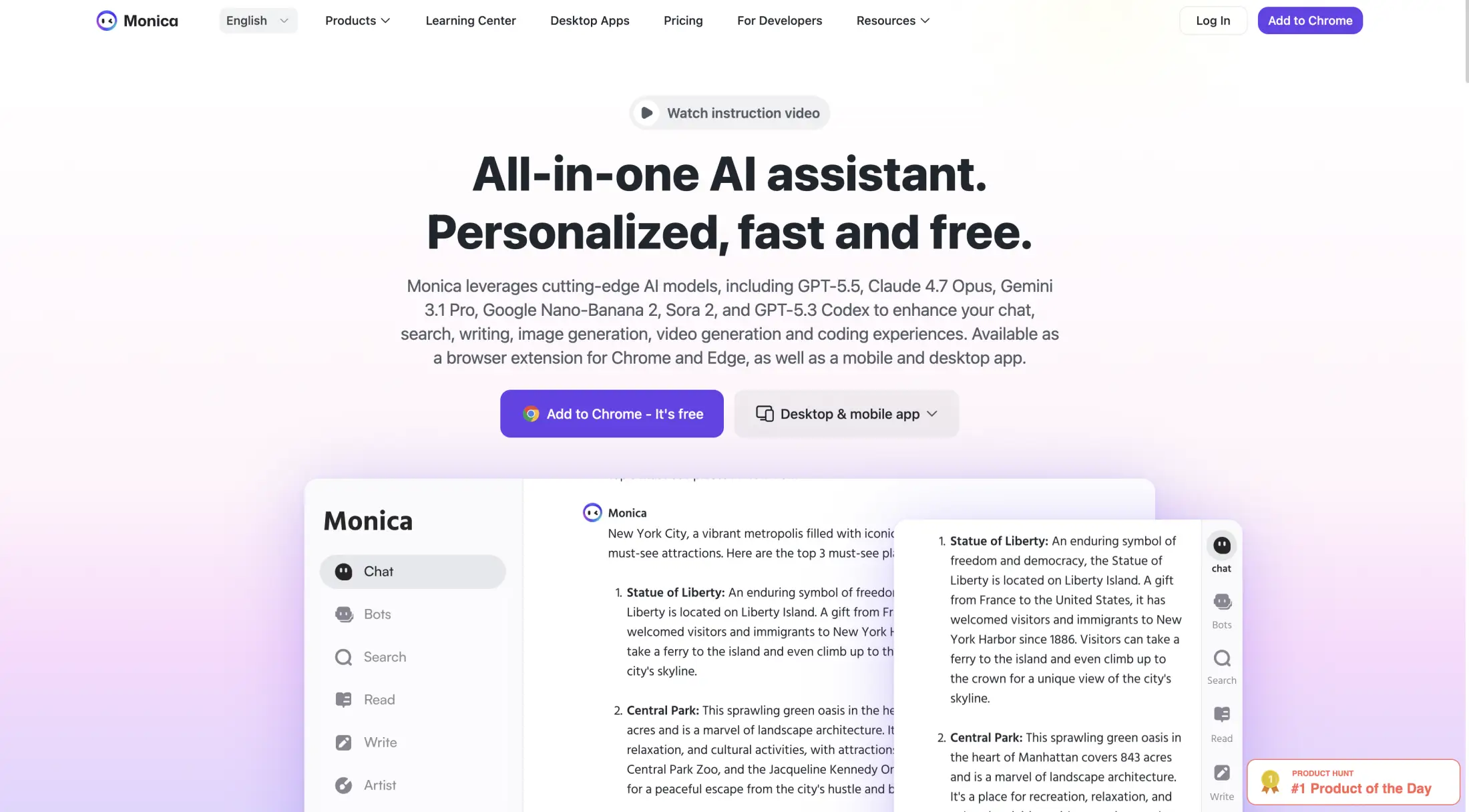
Monica AI is most famous for their multi-model assistant that lives as a browser sidebar or a Chrome or Edge extension, although they also run a dedicated website and mobile apps. It launched in 2023 and is made by Butterfly Effect, the startup that later built the Manus agent. Monica claims more than 10 million users, and its Chrome extension alone has 3 million.
Monica AI runs as a browser sidebar across web apps like Gmail and Notion.
Monica runs GPT-5.5, Claude 4.7 Opus, Gemini 3.1 Pro, and other models — a generation behind the newest GPT-6 and Claude Opus 5.5 — and it embeds directly into web apps like Gmail, Notion, and WordPress. Its tools span more than chat:
Capability
What it does
Multi-model chat
Talk to GPT, Claude, and Gemini without switching tabs
Web page summarizer
Summarizes any page or YouTube video from the sidebar
Translator
Translates pages and text across 120+ languages
Writing tools
Rewrite, paraphrase, humanize, and AI-text detection
Chat with files
Asks questions about uploaded PDFs and images
Image and video generation
Generates images and short video in-app
Code tools
Writes and debugs code in SQL, Python, and other languages
Custom bots
Build no-code AI bots for support or Q&A
Price:
Plan
Cost
Free
$0 (40 queries/day)
Pro
$9.90/month
Max
$24.90/month
Ultra
$99.90/month
Pros:
✅ Sidebar works on any web page
✅ Fast for summarizing and rewriting in place
✅ Large, established user base
Cons:
❌ Credit system meters heavier models
❌ The model lineup trails the newest releases
4. Abacus.AI — best for agents and app building
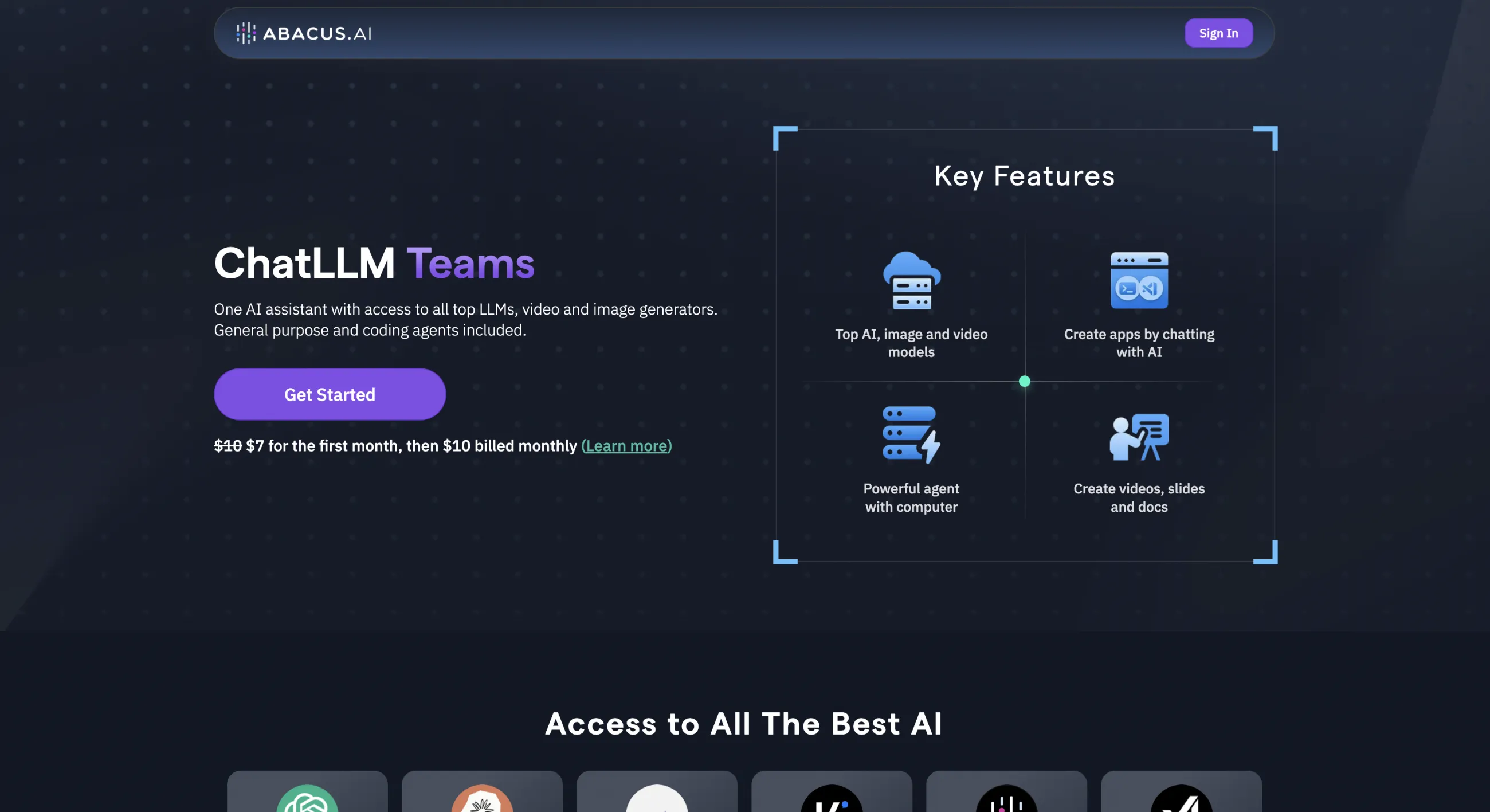
Abacus.AI is an AI platform founded by Bindu Reddy and Arvind Sundararajan. Its consumer product, ChatLLM, is a multi-model workspace, and it sits alongside DeepAgent, an agentic layer that runs multi-step tasks like building dashboards and automations. The mix of chat and agents is what sets it apart from a plain aggregator.
Abacus.AI pairs multi-model chat with the DeepAgent agentic layer.
ChatLLM gives access to more than 100 models, including GPT-6.1 Sol, Claude Opus 5.5, Claude Fable 5.1, Gemini 3.1 Pro, Grok 4.7, and Kimi K3, and the team adds new ones within 24 to 48 hours of release. Pricing runs for $10 per user per month with 20,000 credits, and a $20 Pro tier unlocks 30,000 credits and stronger reasoning models.
Price: $10/user/month, or $20/month for the Pro tier
Pros:
✅ New models added within 24–48 hours of release
✅ DeepAgent handles multi-step automated tasks
✅ Flat per-user pricing
Cons:
❌ Interface aimed at power users, steeper to learn
❌ Creative generation is secondary to chat and agents
5. GlobalGPT — best for creative model variety
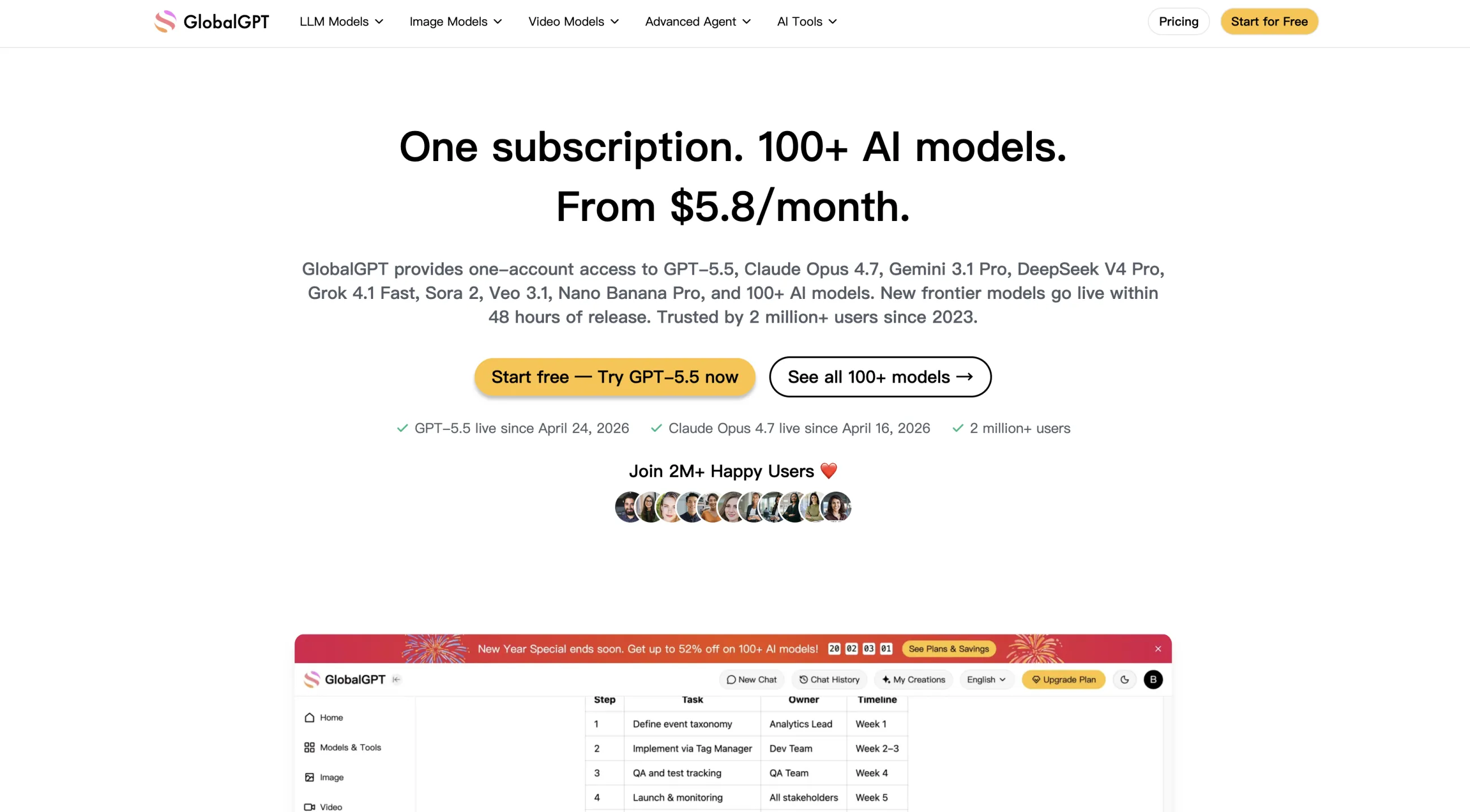
GlobalGPT is a multi-model AI aggregator launched in 2023 by Future Share LLC. It provides access to more than 100 models across text, image, and video in one subscription, with side-by-side model comparison inside a conversation.
GlobalGPT bundles 100+ text, image, and video models in one subscription.
Its model lineup is one of the widest in the category:
Type
Models
Text
GPT-6 Astra, Claude Opus 5.5, Gemini 3.1 Pro, Grok 4.7, DeepSeek V4 Pro
Sora 2, Veo 3.1, Kling 3.0, Seedance 2.0, Runway Gen-4 Turbo, Luma Ray 2
Audio
ElevenLabs v3
Beyond chat and generation, it includes:
ChatPDF with a 200K-token context window
Deep Research that pulls from 50+ sources
Perplexity integration for web search
An image editor and audio generation tools
Pricing runs across three tiers, billed monthly or annually:
Plan
Monthly
Annual
Annual credits
Basic
$11.90
$5.80/mo
144,000
Pro
$19.90
$10.80/mo
240,000
Unlimited
$49.90
$25.00/mo
624,000
Pros:
✅ Over 100 models, including premium video engines like Sora and Runway
✅ Side-by-side model comparison in one conversation
✅ Cheapest tier undercuts a single ChatGPT Plus plan
Cons:
❌ Credit allowances cap heavy generation use
❌ Large model menu takes time to navigate
6. Magai — best for content teams
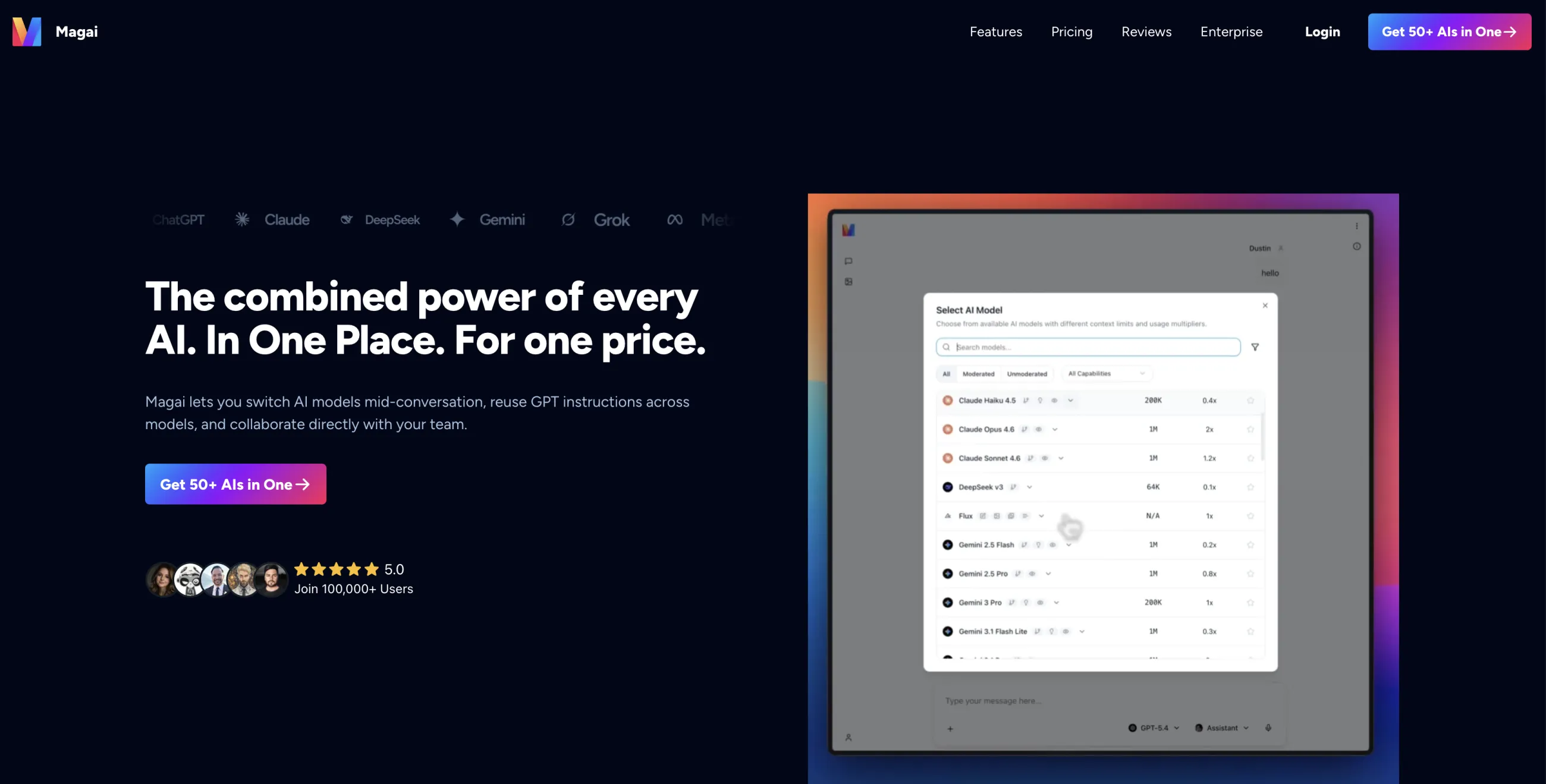
Magai is a multi-model AI platform aimed at marketers and content teams, founded by digital marketing veteran Dustin Stout. It crossed $1 million in annual recurring revenue in 2026. It offers access to 72 models — 49 for chat, 13 for images, and 10 for video — with workspace features like folders and saved prompts geared toward teams producing content at volume. Pricing runs from $20 to $200 a month depending on usage and seats, and there's no free plan, only a 30-day money-back guarantee.
Magai gives content teams 72 models with folders and saved prompts.
Price: $20–$200/month
Pros:
✅ Organized for marketing and content workflows
✅ 72 chat, image, and video models with team workspace features
Cons:
❌ Priced per usage tier, climbs for heavy teams
❌ No free plan or trial
7. Mammouth AI — best for users in the EU
Mammouth AI is a French multi-model aggregator founded in Paris in 2024. It provides access to text, image, and video models in one subscription, with a one-click reprompting feature that re-runs the same prompt through a different model.
Mammouth AI bundles text, image, and video models from $12 a month.
It covers the major model families across each modality:
Type
Models
Text
GPT-6, Claude Opus 5.5, Claude Fable 5.1, Gemini 3.1 Pro, Grok 4.7, Mistral, Llama 4, DeepSeek V4.1, Kimi K3, Perplexity
Veo 3.1 Lite, Kling 2.5 Turbo Pro, Grok Imagine Video
Pricing is tiered by how much usage each plan allows, and every plan bundles API credits, so one subscription covers both the chat app and API calls:
Plan
Price (excl. VAT)
Usage
API credits
Starter
$12/month
Base allowance
$2
Standard
$24/month
3× Starter
$4
Expert
$72/month
10× Starter
$10
All tiers include document and image analysis, voice chat, and web search. As a French company, Mammouth states it is GDPR-compliant and does not train models on user content.
Pros:
✅ Covers text, image, and video models
✅ One-click reprompting to compare models
✅ GDPR-compliant with no training on user data
Cons:
❌ No free plan
❌ Smaller tool catalog than the cross-modal leaders
8. ChatHub — best for comparing answers side by side
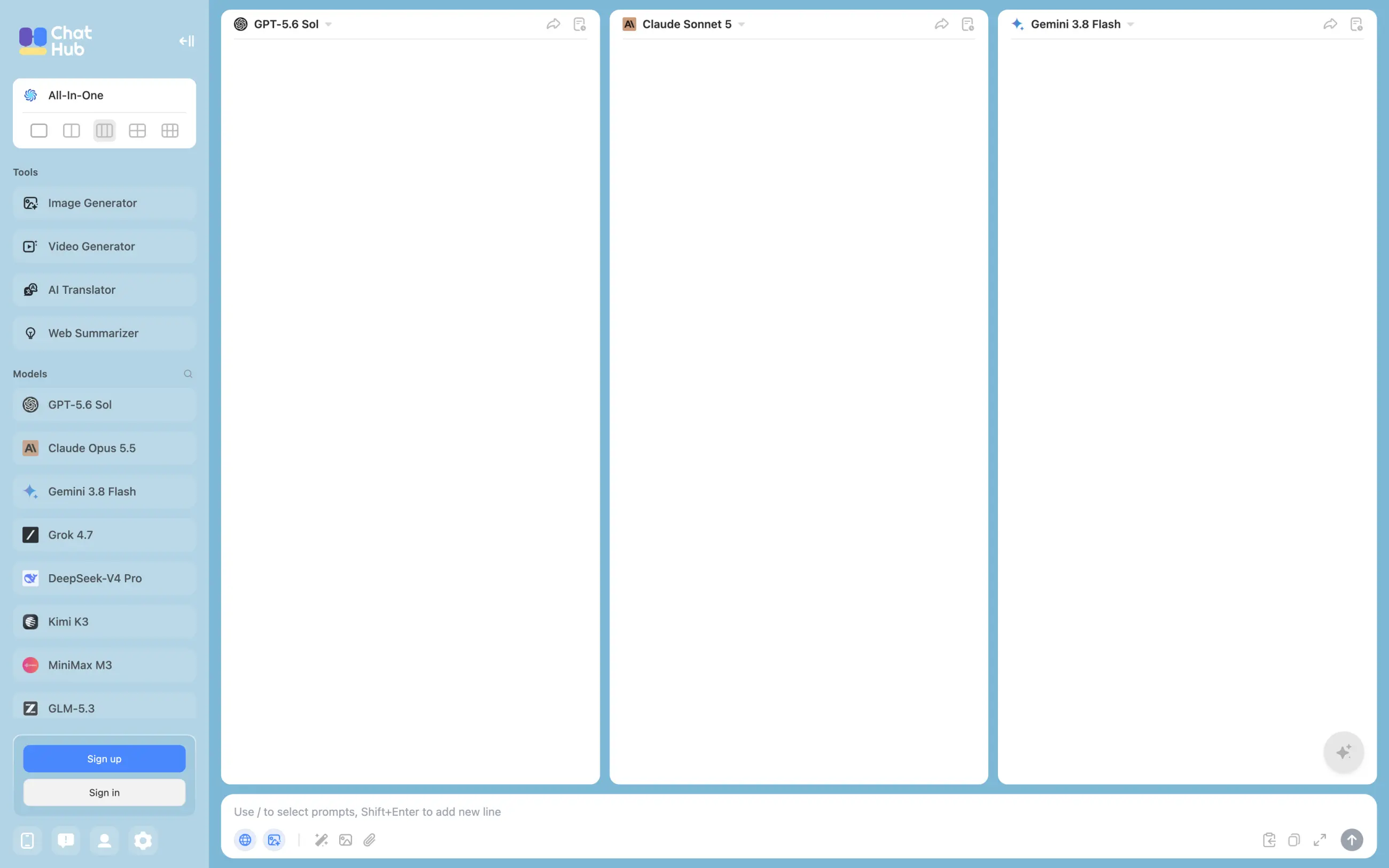
ChatHub is a multi-model AI chat app built around one idea: send a single prompt to several models and read their answers next to each other. It started as a browser extension and now runs as a web app with apps for iOS, Android, Windows, and Mac, and it claims more than 300,000 users.
ChatHub sends one prompt to up to six models and shows their answers side by side.
You can chat with up to six models at once, from GPT-5.6 Sol, Claude Opus 5.5, Gemini 3.8 Flash, and Grok 4.7 to open models like DeepSeek V4 Pro, Kimi K3, and GLM 5.3. Image generation covers Nano Banana, FLUX.2, and Stable Diffusion, and built-in tools handle video generation, translation, and web page summaries.
Price:
Plan
Billed yearly
Billed monthly
Advanced-model requests
Free
$0
$0
Limited
Pro
$14.99/mo
$19/mo
1,500 a month
Unlimited
$24.99/mo
$39/mo
Unlimited
Pros:
✅ Up to six models answer the same prompt side by side
✅ Apps for web, iOS, Android, Windows, and Mac
✅ No API keys needed
Cons:
❌ Pro caps advanced-model requests at 1,500 a month
❌ The free plan is too limited for a proper test
9. OpenRouter — best for developers
OpenRouter is an API aggregator: instead of an app subscription, it gives developers one API key and one bill for more than 500 models from 80+ providers. You top up credits and pay each provider's per-token price, plus a 5.5% fee on every credit purchase. It also has a simple web chat for trying models, but it's built for code, not for everyday chatting.
OpenRouter routes API calls to 500+ models from 80+ providers.
More than 25 models are free to call, with a limit of 50 requests a day that rises to 1,000 a day once you've bought at least $10 of credits. You can also connect your own provider keys, and the first $25,000 of requests a month made that way go through without OpenRouter's fee.
Price: Pay as you go — provider prices plus a 5.5% fee on credit purchases; 25+ free models
Pros:
✅ 500+ models behind one API
✅ You pay only for the tokens you use
✅ Free models for testing
Cons:
❌ Built for developers, not as a polished chat app
❌ Costs are harder to predict than a flat subscription
10. TypingMind — best for using your own API keys
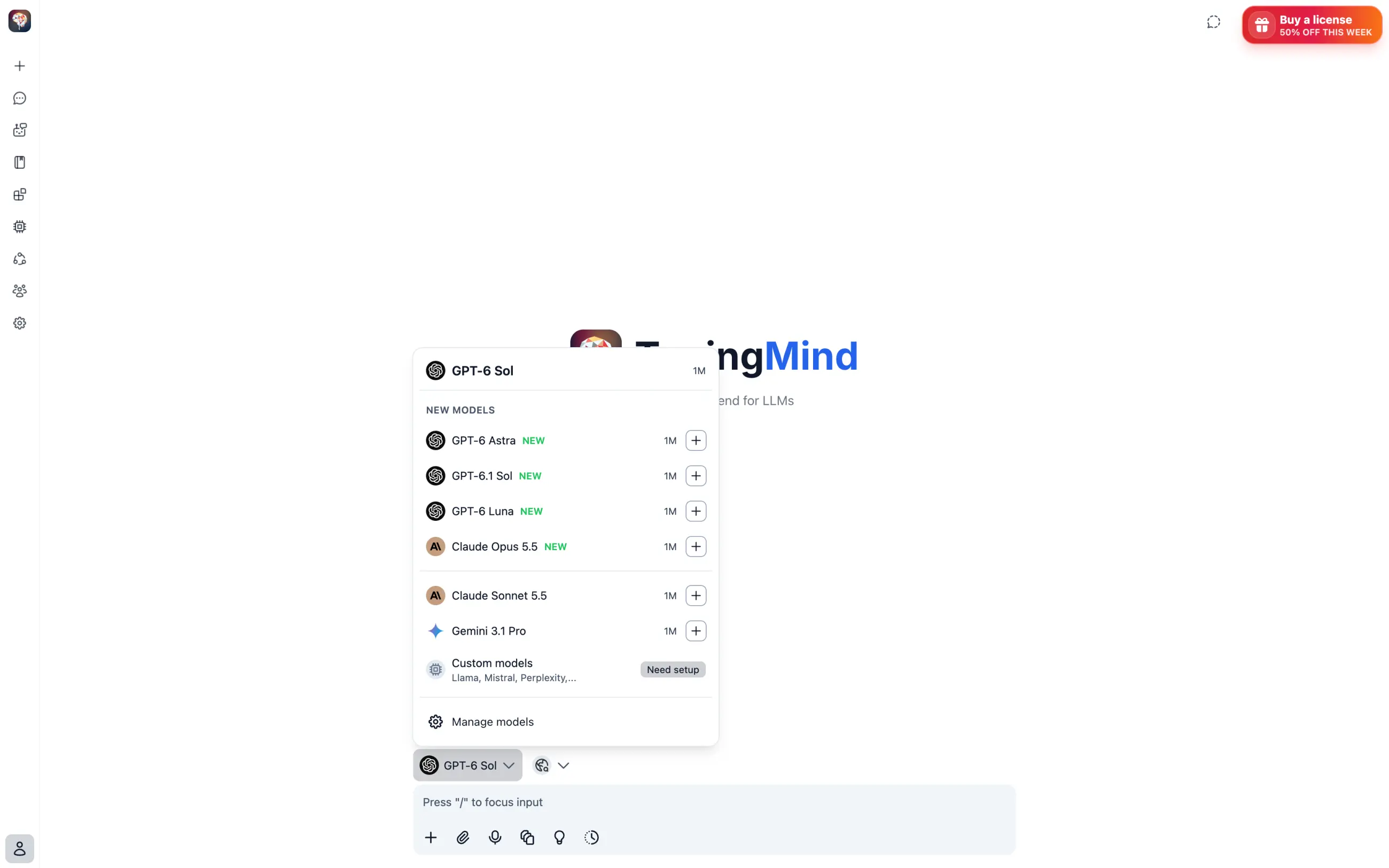
TypingMind is a chat interface you connect your own API keys to. Built by indie developer Tony Dinh and launched in March 2023, it doesn't resell model access: you pay OpenAI, Anthropic, Google, and other providers directly at API prices, and pay TypingMind once for the app.
TypingMind runs GPT, Claude, and Gemini models through your own API keys.
Because there's no fixed model list, new models show up as soon as a provider releases them through its API. TypingMind works with about 18 providers, including OpenRouter and local models.
Price:
License
One-time price
What it adds
Standard
$39
Agents, plugins, voice input
Extended
$79
Web search, vision, image generation, text-to-speech, documents
Premium
$99
Multi-model parallel chat, projects, artifacts and canvas
API usage is billed separately by each provider. TypingMind for Teams is a separate subscription from $99 a month for five users.
Pros:
✅ One-time license instead of a monthly fee
✅ API prices can cost less than subscriptions for light use
✅ New models are available as soon as providers ship them
Cons:
❌ You manage API keys and billing with each provider
❌ Heavy use can cost more than a flat subscription
11. T3 Chat — best budget monthly plan
T3 Chat is a fast multi-model chat app built by developer and YouTuber Theo Browne. Its Pro plan costs $8 a month, one of the cheapest monthly plans in this list.
T3 Chat unlocks its full model list for $8 a month.
The model menu covers the GPT, Claude, Gemini, DeepSeek, and Kimi families, and you can start chatting on the website without signing up. Pro raises the limit to about 1,500 messages a month, with a smaller quota for premium models.
Price: Free tier; Pro costs $8/month
Pros:
✅ One of the cheapest monthly plans in the category
✅ Built for speed, with fast responses
✅ You can try it without an account
Cons:
❌ Chat-focused, with no video tools
❌ Monthly message cap on Pro
12. Perplexity — best for research with sources
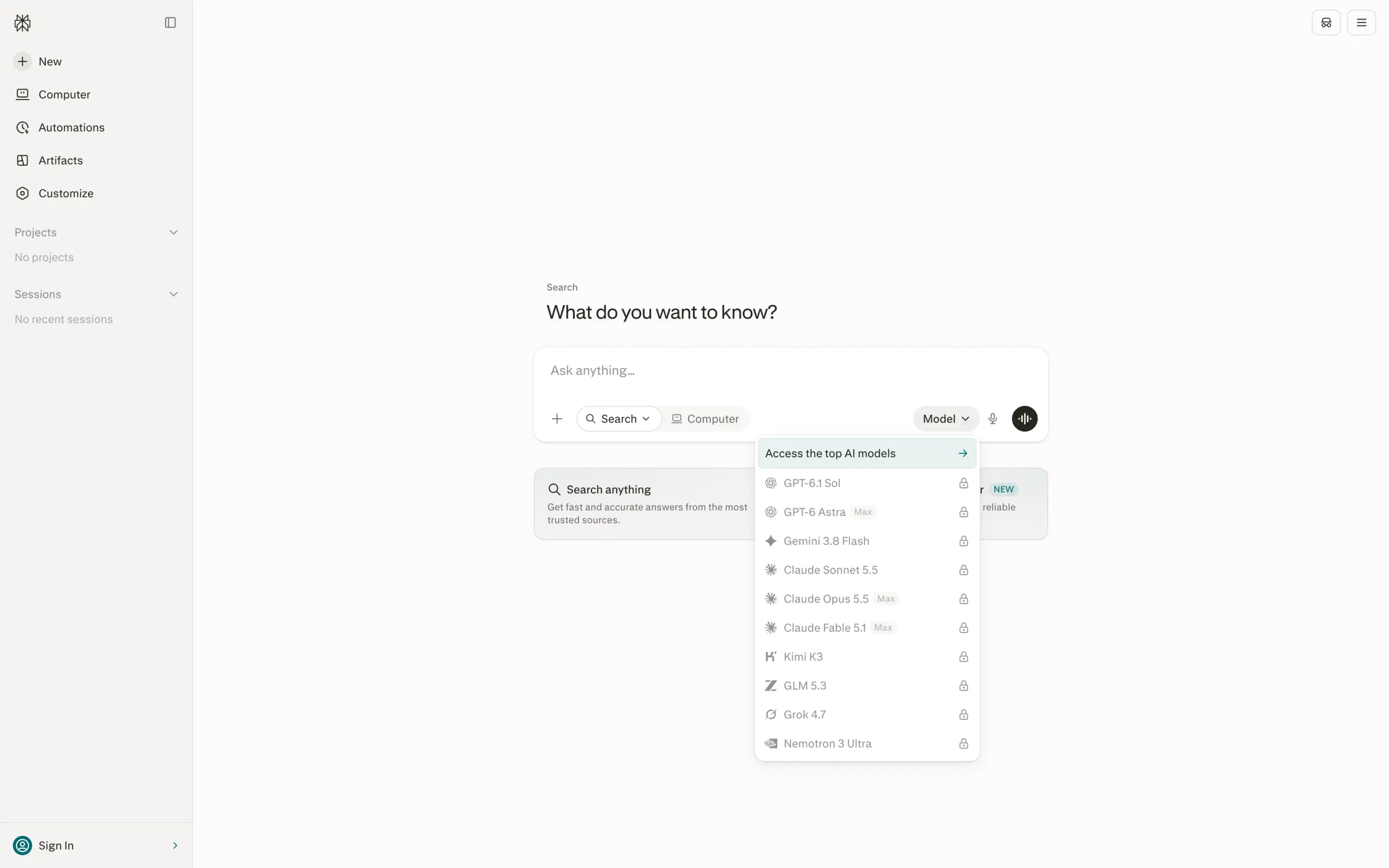
Perplexity is an AI answer engine rather than a classic aggregator, but its Pro plan includes a model picker, so one $20 subscription gives you GPT-6.1 Sol, Claude Sonnet 5.5, Gemini 3.8 Flash, and Grok 4.7 alongside Perplexity's own Sonar models. Every answer comes with links to the sources it used.
Perplexity's model picker covers GPT, Claude, Gemini, Grok, and Kimi models.
Pro also includes Deep Research, file uploads, and image generation. The Max plan costs $200 a month and adds GPT-6 Astra, Claude Opus 5.5, and Claude Fable 5.1 along with higher limits, and students pay $10 a month for Pro.
Price:
Plan
Price
Free
$0
Pro
$20/month
Max
$200/month
Pros:
✅ Answers cite their sources
✅ Frontier models from four labs in one Pro plan
✅ Strong for research and fact-checking
Cons:
❌ Built around search, so long creative chats feel secondary
❌ The model picker is smaller than full aggregator catalogs
Which AI aggregator is the cheapest?
Poe has the cheapest paid plan at $4.99 a month, but its Starter tier includes only 10,000 points a day. Overchat AI's yearly plan works out to about $4 a month for all of its models and tools, GlobalGPT's Basic plan costs $5.80 a month billed yearly, and T3 Chat is the cheapest full monthly plan at $8. For free access, Overchat AI, Poe, Monica AI, ChatHub, T3 Chat, and Perplexity all have free plans, and OpenRouter offers more than 25 free models through its API.
Aggregator
Free plan
Cheapest paid plan
What the cheapest plan gets you
Poe
Daily points
$4.99/mo
10,000 points a day
Overchat AI
20 credits a day
$49.99/yr (about $4/mo)
All chat, image, and video models and tools
GlobalGPT
Not listed
$5.80/mo billed yearly
144,000 credits a year
T3 Chat
Yes
$8/mo
About 1,500 messages a month
Monica AI
40 queries a day
$9.90/mo
5,000 basic and 200 advanced queries a month
Abacus.AI ChatLLM
No
$10/user/mo
20,000 credits a month
Mammouth AI
No
$12/mo
Base usage plus $2 of API credits
ChatHub
Limited
$14.99/mo billed yearly
1,500 advanced-model requests a month
Perplexity
Yes
$20/mo
Model picker, Deep Research
Magai
No
$20/mo
All Standard models and tools
TypingMind
Free web version with your key
$39 one-time
The app; API usage paid separately
OpenRouter
25+ free models
Pay as you go
Provider prices plus a 5.5% fee
The cheapest plan is rarely the cheapest option for heavy use, because entry plans cap the allowance hardest. Compare what the plan includes for the models you'll actually use, not just the sticker price.
AI aggregator vs separate subscriptions: which is cheaper?
An AI aggregator is cheaper than separate subscriptions — especially if you plan to use multiple AI models from different developers. For example, consider the table below:
You subscribe to
Monthly
Per year
ChatGPT Plus + Claude Pro
$40.00
$480.00
+ Google AI Pro (3 apps)
$59.99
$719.88
+ Perplexity Pro (4 apps)
$79.99
$959.88
Overchat AI (one plan)
$14.99
$179.88
Paying yearly makes the gap wider. Here is what you save by switching from each stack to Overchat AI's yearly plan, which costs $49.99:
Replacing
Their yearly cost
Overchat AI yearly
You save
2 apps (ChatGPT + Claude)
$480.00
$49.99
$430.01
3 apps (+ Gemini)
$719.88
$49.99
$669.89
4 apps (+ Perplexity)
$959.88
$49.99
$909.89
These numbers count only the chat apps and use their monthly prices; Claude Pro and some others cost a little less on annual billing. If you also want to make images with Midjourney Pro, which costs $60/month, then this adds another $720 a year, which an aggregator with built-in image models saves you.
What's the catch with AI aggregators?
The catch with AI aggregators is in the limits, not the models. You get the same GPT, Claude, or Gemini model as in the native app, but the plan around it can be tighter, and some features of the native apps don't carry over:
Credits run out faster on top models. Most aggregators meter usage in credits, points, or "advanced" requests, and a single message to a flagship model like Claude Opus 5.5 can cost many times more than one to a small model.
The context window can be smaller. Some aggregators cap how much text you can send in one conversation below what the model supports, which shows up when you upload long documents.
First-party features are missing. ChatGPT's memory and Codex, Claude's artifacts and Claude Code, and Gemini's Workspace integration live in the native apps, not in the API that aggregators use.
New models can arrive later. Most aggregators add a new model within days, but some lag behind for weeks, and a few still list models a generation old.
There's one more company in the data chain. Your prompts pass through the aggregator before they reach the model provider, so its privacy policy matters as much as the provider's.
If you spend most of your day in one model and rely on its native features, a direct subscription to that model is the better choice. An aggregator makes more sense when you switch between models, compare their answers, or need image and video tools alongside chat.
How to choose an AI aggregator
The aggregators in this guide differ less in the models they offer than in how you pay for them and what the entry plan includes. Check these six things before you subscribe:
The models you actually use. Check that the exact versions are on the list — GPT-6 and Claude Opus 5.5 are on most of the platforms above, while Monica AI still runs a generation older.
How the allowance works. Some platforms count messages, others count credits or points, and only some carry unused credits over to the next month.
Whether image and video are in the plan. Chat-focused aggregators like T3 Chat won't replace an image or video subscription, and on most other platforms image and video use credits much faster than chat.
What the free plan lets you test. Overchat AI, Poe, Monica AI, ChatHub, T3 Chat, and Perplexity let you try the product before paying.
Privacy terms. Look for a clear statement that your prompts aren't used for training, and check where the data is processed if you're in the EU.
Apps and team features. Mobile and desktop apps, shared workspaces, and per-seat pricing matter if you'll use the account on several devices or with a team.
FAQ
The most common questions about AI aggregators, answered.
Are AI aggregators legit?
Yes, the established AI aggregators are legitimate. They connect to models through the providers' official paid APIs, so the GPT or Claude response you get is the real model running on the lab's own infrastructure. The catch worth knowing is billing: most meter usage in credits or points, and heavier models drain a balance faster, so check whether a tool charges a flat rate or per-model points before subscribing.
Do you get the same models on an aggregator as on ChatGPT Plus?
You get the same underlying model. A GPT response inside an aggregator runs on the same OpenAI model as one inside ChatGPT Plus, because both reach it through OpenAI's API. What can differ is the wrapper — ChatGPT's app has first-party features like cross-session memory that an aggregator only matches if it builds its own version. The answer quality is the same; the surrounding features may not be.
What is the best AI aggregator?
Overchat AI is the best AI aggregator for most people because it aggregates more than chat. It runs GPT-6, Claude Opus 5.5, and Gemini 3.8 Flash for text, then adds image and video generators and 50+ ready-made tools, so one $14.99/month plan replaces a text aggregator and several creative apps at once. Poe and ChatHub are strong if you only need multi-model chat, and OpenRouter is the better fit for developers.
Is one AI subscription cheaper than separate ones?
One aggregator subscription is cheaper than separate ones whenever you use more than a single AI app. Running ChatGPT Plus and Claude Pro together costs $480 a year, while Overchat AI's yearly plan is $49.99 and covers those models plus image and video generation. The savings grow with every app you would otherwise stack.
Is there a free AI aggregator?
Yes, several AI aggregators have free plans. Overchat AI gives 20 credits a day for GPT-6 Luna and Gemini 3.8 Flash, Poe gives a small daily allowance of points, Monica AI allows 40 queries a day, and ChatHub, T3 Chat, and Perplexity have free tiers too. Free plans are limited to basic models or a few messages a day, so they work for testing, not for daily use of flagship models. Developers can call more than 25 free models through OpenRouter's API.
What is an AI API aggregator?
An AI API aggregator, also called a model router, is a service that gives developers one API key and one bill for models from many providers. OpenRouter is the best-known example, with more than 500 models from 80+ providers. You call it from your own code and pay per token, unlike consumer aggregators, which you use through a chat app for a monthly fee.
Do AI aggregators have mobile apps?
Most of the larger AI aggregators have mobile apps. Overchat AI, Poe, Monica AI, and ChatHub have iOS and Android apps, and ChatHub also has desktop apps for Windows and Mac. Some smaller platforms and developer tools like OpenRouter work only in the browser.
Do AI aggregators store your data?
AI aggregators handle your prompts to route them to the right model, and their data practices vary, so retention and privacy policies are worth reading before you sign up. Look for clear statements on how long prompts are kept and whether they're used for training. Treat any platform's handling of sensitive or confidential information the same way you would treat sending it to the native app.
Verdict: the best AI aggregator
For most people, Overchat AI is the best AI aggregator. It runs the same frontier text models as the chat-only tools (GPT-6, Claude Opus 5.5, Gemini 3.8 Flash) and also features image, video, and voice generation, so one $14.99/month plan covers work that would otherwise require subscribing to multiple platforms.
If you need something narrower, pick by use case: Poe for the widest choice of models and community bots, ChatHub for comparing answers side by side, Perplexity for research with sources, TypingMind if you'd rather pay API prices with your own keys, and OpenRouter if you're building an app.
And if you're interested to learn more about what all-in-one tools are, see our guide to the best all-in-one AI platforms.