


Edit images online with the power of artificial intelligence by simply describing what you want to change.
With the Overchat AI image editor, you can professionally edit any image using simple text prompts. Erase objects, change skies, remove backgrounds, and enhance colors — all with a single online tool powered by Nano Banana 2's image generation mode.
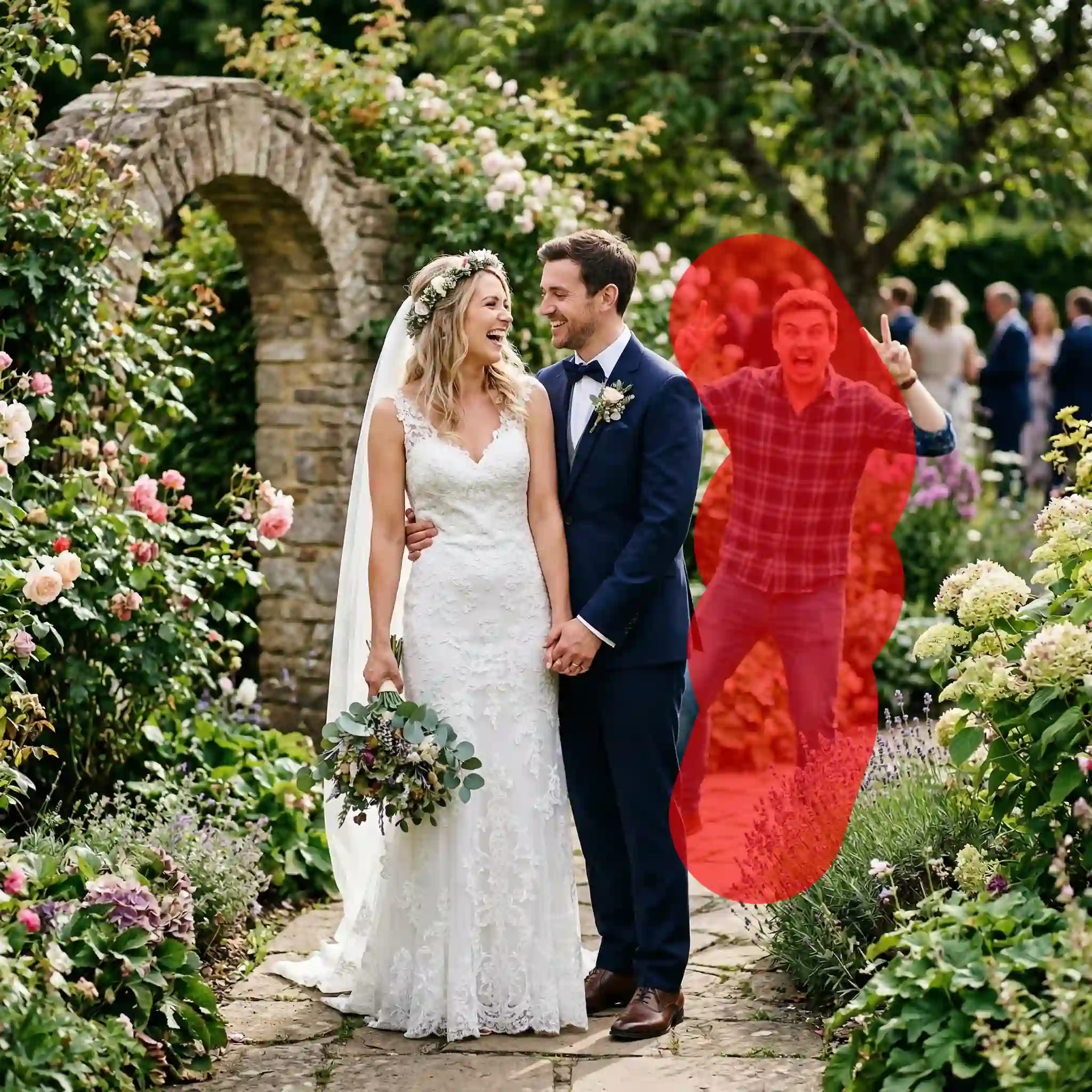
From simple blemish removal to complex object masking, Overchat AI does all the work for you. All you have to do is describe the intended result. It's a better, easier alternative to Photoshop for online image editing.
Make selective edits and repeatedly edit target areas without changing anything else. Our AI technology changes only what you want changed, so the photo stays yours through as many edits as you need.
Click Generate, wait for the AI to work its magic, and download an edited version of the original image without watermarks.
Visit the Overchat AI website, or install the mobile app, and upload the image you want to edit.
Use natural language to tell the AI what you want to edit. Precise, descriptive prompts work best. There's no need to ask the AI to preserve the original image because it does so by default.
The AI will generate an edited version of your photo in under 30 seconds. Then, download the high-resolution photo and share or use it anywhere, even for commercial purposes.
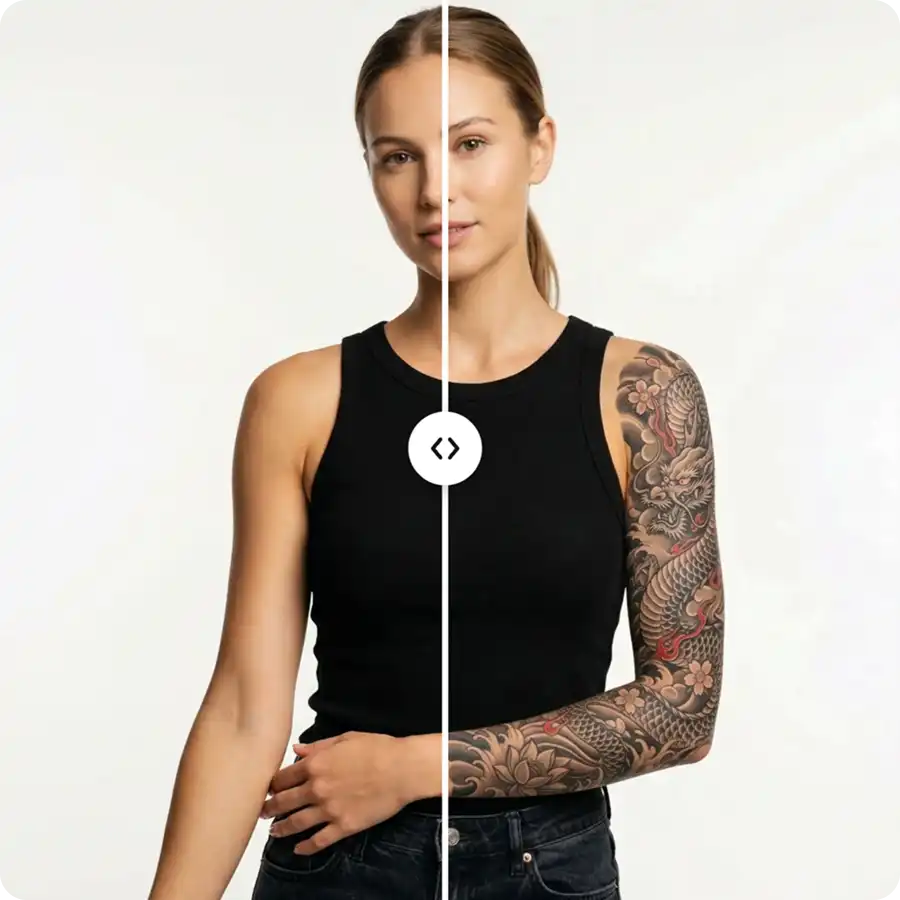
USE CASES
Upload any photo and remove or replace the background by describing the new look. Overchat AI will regenerate the image without the things you want gone.
Thanks to our advanced AI technology, you can edit photos simply by describing the changes you want in natural language. The only limit is your imagination.
Upscale resolution, relight scenes, and intelligently sharpen without artifacts, or make high ISO shots look clean.
Erase unwanted objects, photobombers, or text from images by telling the AI what things to keep and what things to remove.
Smooth skin, whiten teeth, brighten eyes, and remove blemishes automatically with Overchat AI portrait editor.
Change the style of your photos: turn them into paintings, convert 2D images to 3D, or turn them into sketches. Experiment with creative AI filters that go far beyond basic presets.
Try our online AI photo editor now — upload an image and see results in seconds.
Our AI photo editor online is powered by Nano Banana 2 — the most advanced image generation model. Create a free account to unlock access to even more AI models, as well as photo, and video editing tools.

An AI photo editor is an online tool that uses artificial intelligence to edit your images based on text descriptions. Unlike traditional editors like Photoshop, it doesn’t directly modify the existing pixels, so your original image stays completely untouched. Instead, it generates a new version of the photo, changing specific parts according to what you describe. It does this using technologies like generative AI and inpainting. This means you can make complex edits just by describing what you want to see.
Absolutely. Since Overchat's AI photo editor is an online app, it works on any device with a modern browser, including desktops, tablets, and iPhones. You don't need to download anything to use it. Overchat also has dedicated mobile apps for iOS and Android that offer an even more polished, native experience. All AI editing features are available on mobile.
Comparing an AI photo editor to Photoshop isn’t really apples to apples. While both tools edit images, they serve different purposes. AI photo editors let you make almost any change in seconds, even if you have no experience with Photoshop, making them ideal for quick edits and everyday use. Photoshop — and other full-featured editing apps — are still irreplaceable when working with large RAW files or when you need precise, detailed control over the final result. This is especially true for client work or high-fashion editorial retouching intended for print. In general, AI editors are much faster and easier to use, and many people find they can handle about 90% of their editing needs without ever opening Photoshop.

Chinese company Baidu has quietly released a model that's just as good as DeepSeek and ChatGPT — ERNIE 4.5 delivers exceptional performance at a fraction of the cost — and most people outside China have never even heard of it.

If you're wondering: what is DeepSeek AI, the answer is quite simple. DeepSeek AI is a Chinese AI research lab that builds large language models. The company released several models in late 2024 and early 2025 that compete directly with OpenAI's GPT-4 and Anthropic's Claude, but at a fraction of the operating cost.

ChatGPT Plus costs $20 per month plus tax, while the Pro plan costs $200 per month plus tax. Understandably, not everyone is willing to pay that much for a chatbot, especially if the premium features aren’t worth it to them. This raises an obvious question: how can I use ChatGPT for free?
Available on Web, iOS, and Android. Edit your photos with AI anywhere, anytime.


.svg)
